PermitRockstar

PERMIT TRACKING & CLOSEOUT

Getting the Permit Is Only Half the Job.

Permit Rockstar Helps You Finish the Rest.

Permit Rockstar keeps permits, inspections, documents, outstanding requirements, and closeout activity connected to the project, so your team knows what is done, what is next, and what still needs attention.

01 Track Permit Status
02 Manage Inspections
03 Follow Up Requirements
04 Document Project Records
05 Close Out Finish the Permit
Issued isn't finished. Finished isn't closed.
Schedule Your Free Permit Process Assessment
15 minutes. No obligation. No high-pressure sales.
ONE CONNECTED PERMIT VIEW

Every Permit. Every Requirement. One Clear View.

Permit Rockstar brings permit status, inspections, documents, outstanding requirements, and closeout activity together so your team can see what is done, what still needs attention, and what happens next.

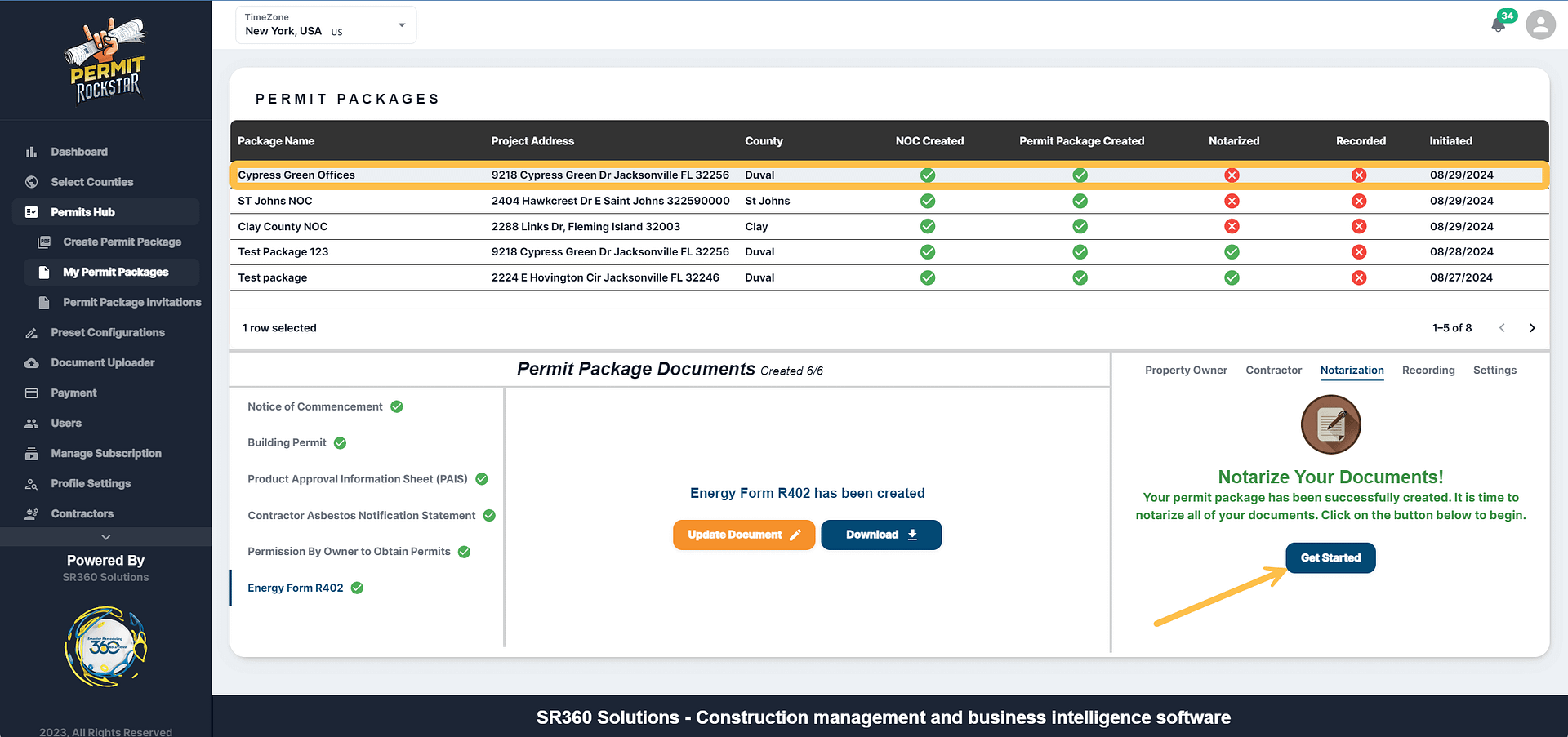
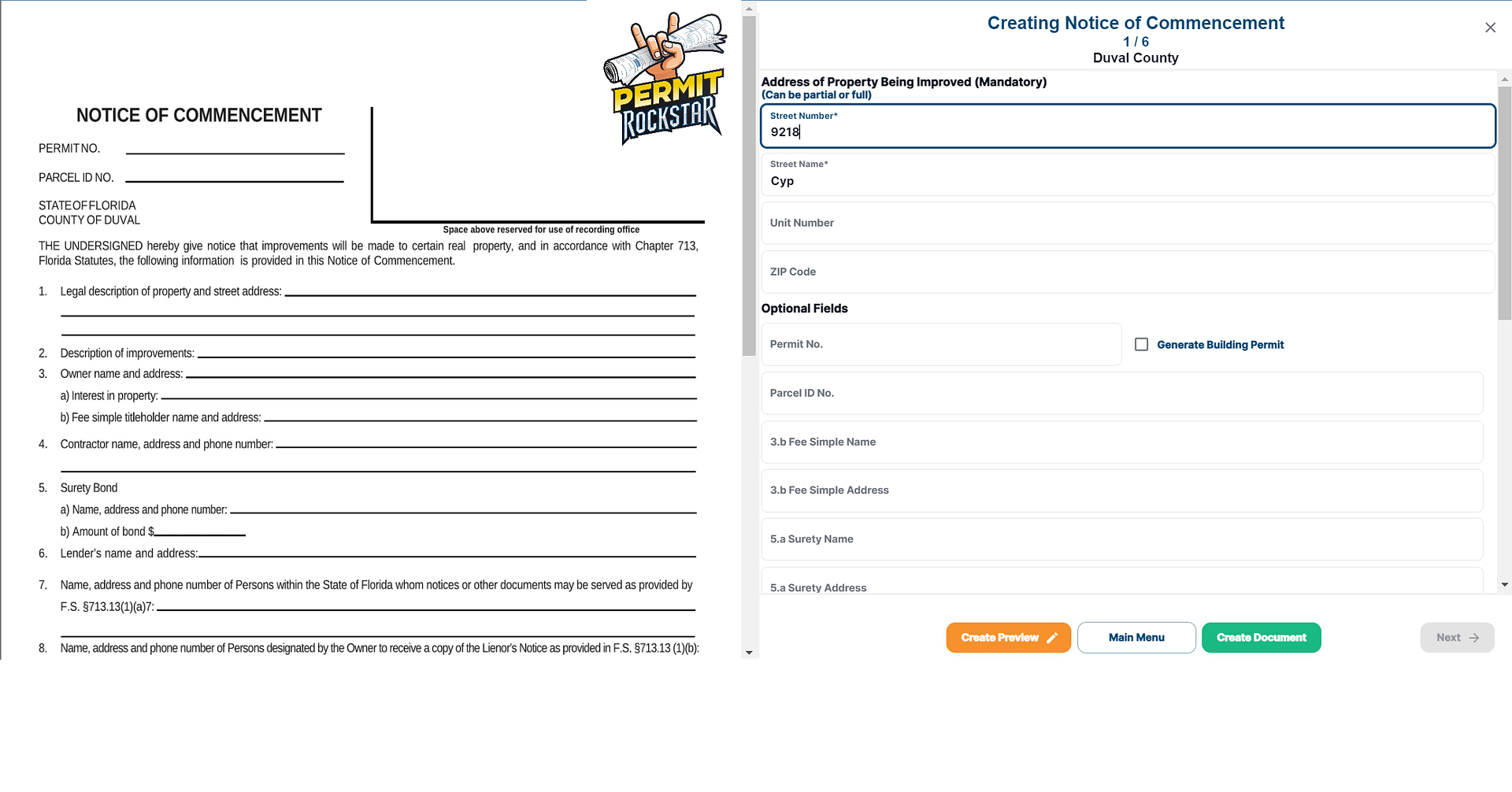
PERMIT ROCKSTAR DASHBOARD
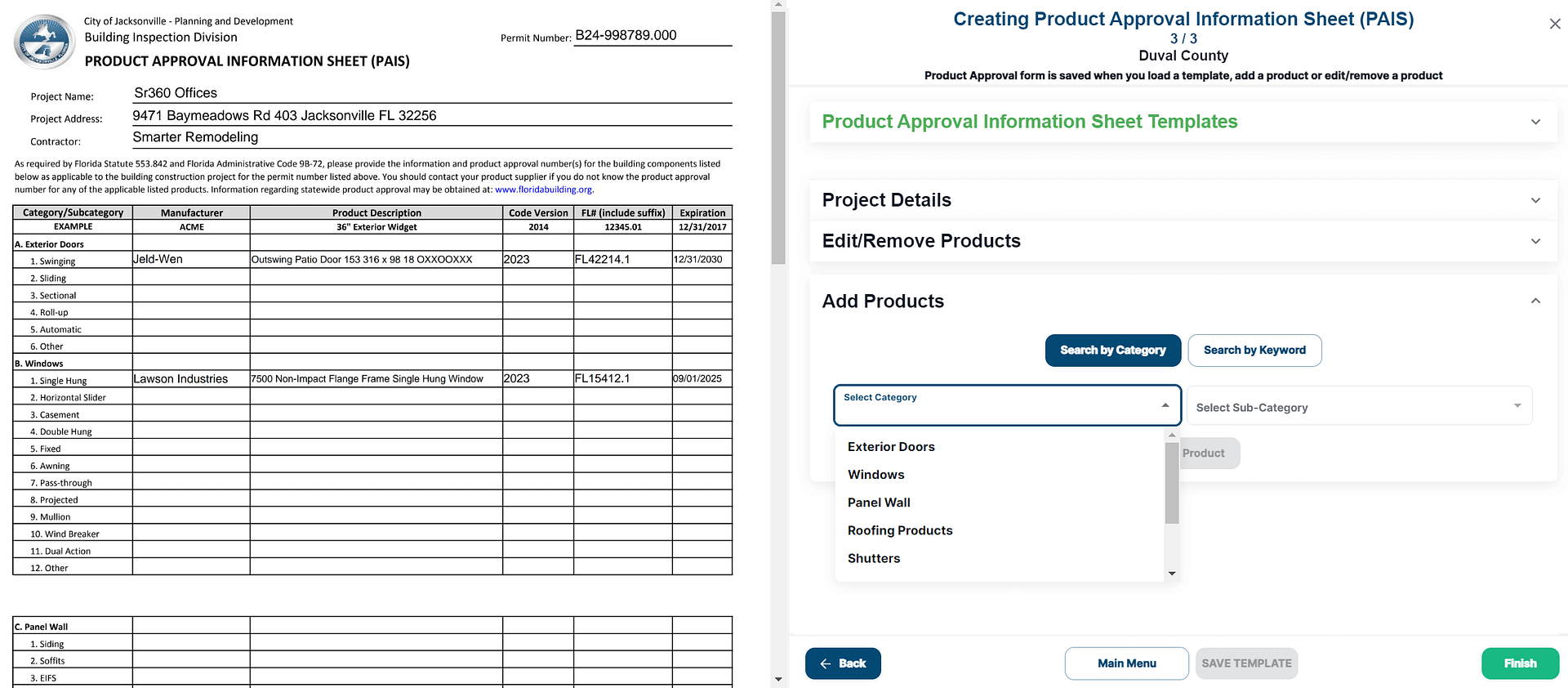
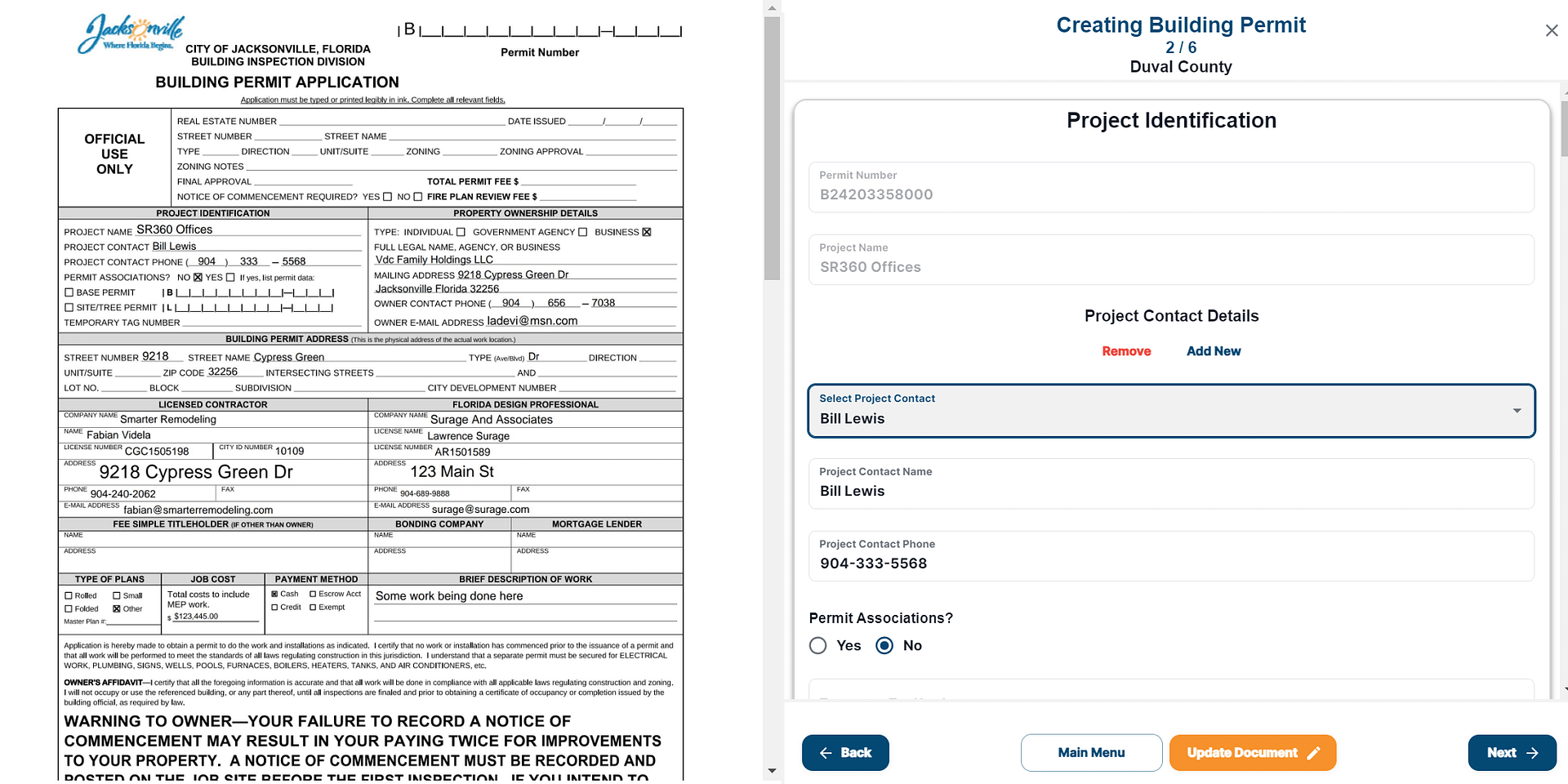
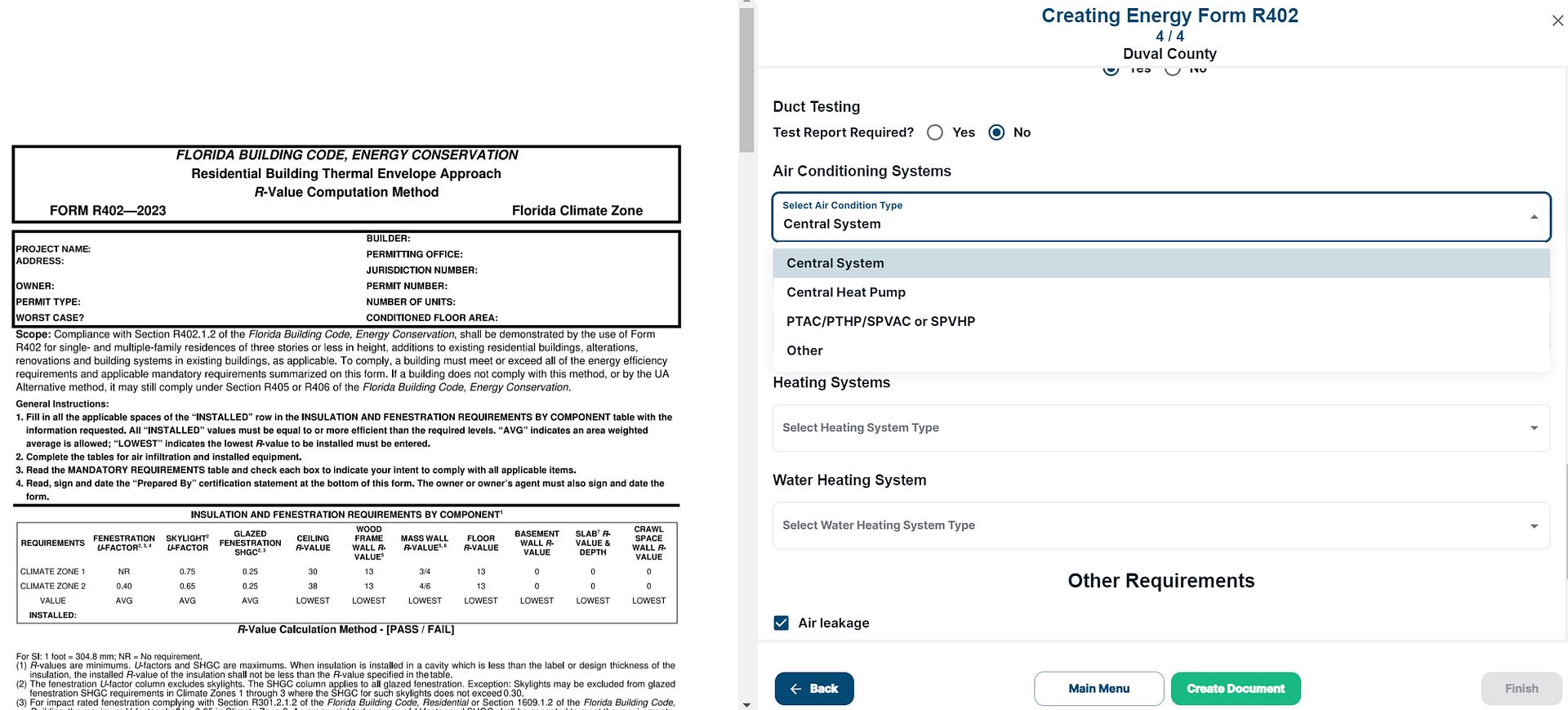
Permit Rockstar permit tracking and closeout dashboard showing permit status, inspections, outstanding requirements, documents, and closeout activity
WHAT THIS VIEW GIVES YOUR TEAM

Less Searching. More Knowing What Comes Next.

The goal is not just to store permit information. It is to make the project easier to manage from issuance through final closeout.

01
One Source of Truth

Keep permit, inspection, document, and closeout information connected to the same project record.

02
Next Action Visible

Make outstanding items and follow-up easier to see before they become schedule problems.

03
Closeout Readiness

See what remains between completed construction and a permit that is actually ready to be closed.

Issued isn't finished. Finished isn't closed.
01
PERMIT STATUS

Know Where the Permit Stands

Keep key permit information and project status visible without checking multiple systems or relying on someone to remember the latest update.

02
INSPECTIONS

See What Has Been Completed

Track required and completed inspections with the project so the next inspection step does not get lost in a separate system.

03
OUTSTANDING ITEMS

Know What's Still Missing

Keep documents, corrections, closeout requirements, and unresolved items visible before they become last-minute problems.

04
NEXT ACTION

Keep Follow-Up Visible

Make the next required action easier to see instead of depending on inboxes, spreadsheets, or individual memory.

05
DOCUMENTATION

Keep the Project Record Together

Keep permit, inspection, and closeout documentation connected to the project so the record is easier to manage and retrieve.

06
CLOSEOUT

Track the Permit Through Completion

Keep remaining closeout activity visible until the permit reaches final completion instead of assuming construction being finished means the permit is closed.

Permit Tracking Is More Useful When It Tells You What Needs Attention.

Permit Rockstar turns project activity into a practical operating view, helping your team spend less time searching for status and more time moving permits toward closeout.
AFTER THE PERMIT IS ISSUED

A Permit Doesn’t Manage Itself After It’s Issued.

Once the permit is issued, there are still inspections, documents, follow-ups, corrections, and closeout requirements to manage. Permit Rockstar keeps the remaining work visible so projects do not get lost between approval and final closeout.

01
STATUS

Where Does the Permit Stand?

Keep permit status and important project information visible without repeatedly checking multiple systems.

02
INSPECTIONS

What Inspection Is Next?

Keep required and completed inspections organized so the next inspection step stays visible.

03
OUTSTANDING ITEMS

What’s Still Missing?

Keep corrections, documents, and closeout requirements visible before they become last-minute problems.

04
FOLLOW-UP

Who Is Following Up?

Keep next actions and follow-up responsibilities visible instead of depending on inboxes, spreadsheets, or memory.

05
DOCUMENTATION

Where Is the Final Documentation?

Keep permit, inspection, correction, and closeout records connected to the project so they are easier to retrieve.

06
CLOSEOUT

Is This Project Actually Closed?

Track the remaining requirements through final completion instead of assuming finished construction means the permit is closed.

The permit may be issued. The project still needs to be managed.

FROM PERMIT ISSUED TO PERMIT CLOSED

Keep Every Step Moving Toward Closeout.

Permit Rockstar keeps the permit lifecycle visible from issuance through final closeout, so your team knows what is complete, what needs attention, and what comes next.

01
TRACK

Monitor the Permit

Keep permit status and important project information organized and visible.

02
MANAGE

Stay Ahead of Requirements

Track inspections, outstanding items, documents, and next steps throughout the project.

03
FOLLOW UP

Keep Things Moving

Identify items that need attention and keep follow-up visible before they become project delays.

04
DOCUMENT

Keep the Record Together

Maintain permit, inspection, correction, and closeout documentation with the project.

05
CLOSE OUT

Finish the Permit, Not Just the Job

Work through remaining requirements until the permit reaches final closeout.

THE DIFFERENCE MATTERS

Issued Isn’t Finished. Finished Isn’t Closed.

Permit Rockstar helps your team keep the permit moving until the permitting process is actually complete.